
Как создать область для печати А4 в WPF?
Вообщем создаю форму для печати из базы данных. Столкнулся с тем что не могу коректно распечатать зону в которой информация храниться. Решил попробовать на простом прямоугольнике и тоже не смог.
Проблема в чем. Создал прямоугольник определнного размера который по соотношению сторо должен помещятся на А4 лист бумаги. Но почему то получаю вариант сдвинутого прямугольника по высоте и обрезан по нижней части - хотя сдвигов нет. помогите пожалуйста.
Код в C#
using System; using System.Collections.Generic; using System.Linq; using System.Printing; using System.Text; using System.Threading.Tasks; using System.Windows; using System.Windows.Controls; using System.Windows.Data; using System.Windows.Documents; using System.Windows.Input; using System.Windows.Media; using System.Windows.Media.Imaging; using System.Windows.Shapes; namespace MoU { /// <summary> /// Interaction logic for test_screen.xaml /// </summary> public partial class test_screen : Window { public test_screen() { InitializeComponent(); } private void uiPrintButton_Click(object sender, RoutedEventArgs e) { PrintDialog printDialog = new PrintDialog(); if (printDialog.ShowDialog() == true) { // Set the page orientation to Landscape printDialog.PrintTicket.PageOrientation = PageOrientation.Landscape; // Get the size of the printable area double pageWidth = printDialog.PrintableAreaWidth; double pageHeight = printDialog.PrintableAreaHeight; // Set the size of the Print_Area to match the printable area Print_Area.Width = pageWidth; Print_Area.Height = pageHeight; // Print the visual element printDialog.PrintVisual(Print_Area, "Printing in Landscape Orientation"); } } } } |
using System; using System.Collections.Generic; using System.Linq; using System.Printing; using System.Text; using System.Threading.Tasks; using System.Windows; using System.Windows.Controls; using System.Windows.Data; using System.Windows.Documents; using System.Windows.Input; using System.Windows.Media; using System.Windows.Media.Imaging; using System.Windows.Shapes; namespace MoU { /// <summary> /// Interaction logic for test_screen.xaml /// </summary> public partial class test_screen : Window { public test_screen() { InitializeComponent(); } private void uiPrintButton_Click(object sender, RoutedEventArgs e) { PrintDialog printDialog = new PrintDialog(); if (printDialog.ShowDialog() == true) { // Set the page orientation to Landscape printDialog.PrintTicket.PageOrientation = PageOrientation.Landscape; // Get the size of the printable area double pageWidth = printDialog.PrintableAreaWidth; double pageHeight = printDialog.PrintableAreaHeight; // Set the size of the Print_Area to match the printable area Print_Area.Width = pageWidth; Print_Area.Height = pageHeight; // Print the visual element printDialog.PrintVisual(Print_Area, "Printing in Landscape Orientation"); } } } }
Код в XAML файле
<Window x:Class="MoU.test_screen" xmlns="http://schemas.microsoft.com/winfx/2006/xaml/presentation" xmlns:x="http://schemas.microsoft.com/winfx/2006/xaml" xmlns:d="http://schemas.microsoft.com/expression/blend/2008" xmlns:mc="http://schemas.openxmlformats.org/markup-compatibility/2006" xmlns:svgc="http://sharpvectors.codeplex.com/svgc/" xmlns:local="clr-namespace:MoU" mc:Ignorable="d" Title="test_screen" Width="1880" Height="932" Background="#FF797676"> <StackPanel Margin="15,15,15,15" Orientation="Horizontal"> <Viewbox x:Name="Print_Area" Width="1008" Height="713"> <Rectangle Margin="5,5,5,5" Width="1008" Height="713" Stroke="#FF060505" StrokeThickness="4"/> </Viewbox> <!-- A4 size in pixels: 793.7 x 1122.5 --> <Button x:Name="uiPrintButton" Content="Print" FontSize="15" Height="50" Background="Green" Click="uiPrintButton_Click"/> </StackPanel> </Window> |
<Window x:Class="MoU.test_screen" xmlns="http://schemas.microsoft.com/winfx/2006/xaml/presentation" xmlns:x="http://schemas.microsoft.com/winfx/2006/xaml" xmlns:d="http://schemas.microsoft.com/expression/blend/2008" xmlns:mc="http://schemas.openxmlformats.org/markup-compatibility/2006" xmlns:svgc="http://sharpvectors.codeplex.com/svgc/" xmlns:local="clr-namespace:MoU" mc:Ignorable="d" Title="test_screen" Width="1880" Height="932" Background="#FF797676"> <StackPanel Margin="15,15,15,15" Orientation="Horizontal"> <Viewbox x:Name="Print_Area" Width="1008" Height="713"> <Rectangle Margin="5,5,5,5" Width="1008" Height="713" Stroke="#FF060505" StrokeThickness="4"/> </Viewbox> <!-- A4 size in pixels: 793.7 x 1122.5 --> <Button x:Name="uiPrintButton" Content="Print" FontSize="15" Height="50" Background="Green" Click="uiPrintButton_Click"/> </StackPanel> </Window>
Результат
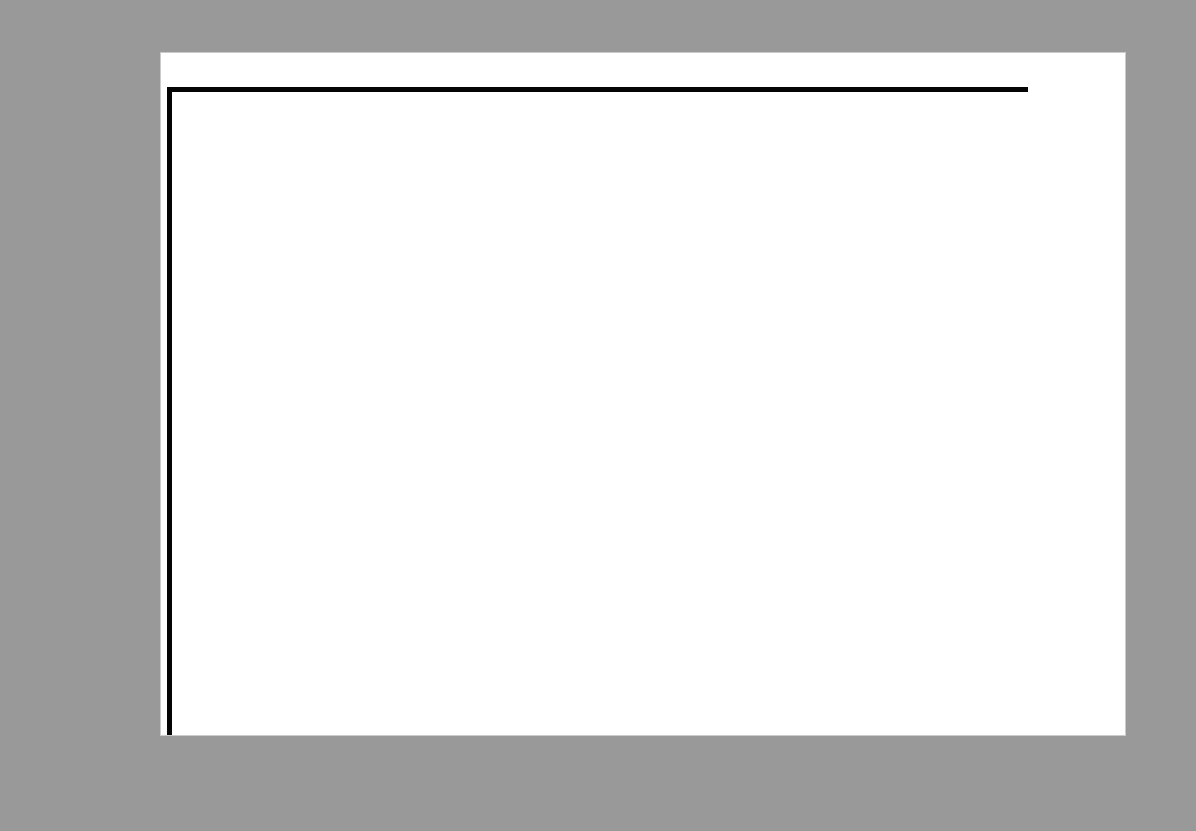
Притом что одинаково печатает как на принтере так и на пдф принтере - следовательно ошибка не в ПО. А в коде.
Помогите пожалуйста.
Дополнительно:
Так выкладываю правильный ответ.
1. Правильно нужно задать соотношения сторон математика расчета разрешение.
Ширина: (297мм / 25.4мм/дюйм) * 96 DPI = 1122 пикселей
Высота: (210мм / 25.4мм/дюйм) * 96 DPI = 794 пикселей
Stretch="UpOnly" - поиграйте с параметром в зависимости от результата. Но мне подходит такой вариант.
Следовательно правильный код в XAML будет
<Window x:Class="MoU.test_screen" xmlns="http://schemas.microsoft.com/winfx/2006/xaml/presentation" xmlns:x="http://schemas.microsoft.com/winfx/2006/xaml" xmlns:d="http://schemas.microsoft.com/expression/blend/2008" xmlns:mc="http://schemas.openxmlformats.org/markup-compatibility/2006" xmlns:svgc="http://sharpvectors.codeplex.com/svgc/" xmlns:local="clr-namespace:MoU" mc:Ignorable="d" Title="test_screen" Width="1880" Height="932" Background="#FF797676"> <StackPanel Margin="15,15,15,15" Orientation="Horizontal"> <Viewbox x:Name="Print_Area" Width="1122 " Height="794" StretchDirection="UpOnly" > <Border> <Grid > <Grid.RowDefinitions> <RowDefinition Height="Auto"/> <RowDefinition Height="Auto"/> <RowDefinition Height="Auto"/> <RowDefinition Height="Auto"/> <RowDefinition Height="Auto"/> <RowDefinition Height="Auto"/> <RowDefinition Height="Auto"/> <RowDefinition Height="Auto"/> <RowDefinition Height="Auto"/> <RowDefinition Height="Auto"/> </Grid.RowDefinitions> <Grid.ColumnDefinitions> <ColumnDefinition Width="Auto"/> <ColumnDefinition Width="Auto"/> <ColumnDefinition Width="Auto"/> </Grid.ColumnDefinitions> <Border Grid.Column="3" BorderBrush="Black" BorderThickness="1" > <TextBlock Text="Колонка"/> </Border> <!-- Таблица с 2 колонками и 2 строками --> <Border Grid.Row="0" Grid.Column="0" BorderBrush="Black" BorderThickness="1"> <TextBlock Text="Колонка 1, Строка 1" Margin="5"/> </Border> <Border Grid.Row="0" Grid.Column="1" BorderBrush="Black" BorderThickness="1"> <TextBlock Text="Колонка 2, Строка 1" Margin="5"/> </Border> <Border Grid.Row="1" Grid.Column="0" BorderBrush="Black" BorderThickness="1"> <TextBlock Text="Колонка 1, Строка 2" Margin="5"/> </Border> <Border Grid.Row="1" Grid.Column="1" BorderBrush="Black" BorderThickness="1"> <TextBlock Text="Колонка 2, Строка 2" Margin="5"/> </Border> <Border Grid.Row="2" Grid.Column="0" BorderBrush="Black" BorderThickness="1"> <TextBlock Text="Колонка 1, Строка 1" Margin="5"/> </Border> <Border Grid.Row="2" Grid.Column="1" BorderBrush="Black" BorderThickness="1"> <TextBlock Text="Колонка 2, Строка 1" Margin="5"/> </Border> <Border Grid.Row="3" Grid.Column="0" BorderBrush="Black" BorderThickness="1"> <TextBlock Text="Колонка 1, Строка 2" Margin="5"/> </Border> <Border Grid.Row="3" Grid.Column="1" BorderBrush="Black" BorderThickness="1"> <TextBlock Text="Колонка 2, Строка 2" Margin="5"/> </Border> <Border Grid.Row="4" Grid.Column="0" BorderBrush="Black" BorderThickness="1"> <TextBlock Text="Колонка 1, Строка 1" Margin="5"/> </Border> <Border Grid.Row="4" Grid.Column="1" BorderBrush="Black" BorderThickness="1"> <TextBlock Text="Колонка 2, Строка 1" Margin="5"/> </Border> <Border Grid.Row="5" Grid.Column="0" BorderBrush="Black" BorderThickness="1"> <TextBlock Text="Колонка 1, Строка 2" Margin="5"/> </Border> <Border Grid.Row="5" Grid.Column="1" BorderBrush="Black" BorderThickness="1"> <TextBlock Text="Колонка 2, Строка 2" Margin="5"/> </Border> <Border Grid.Row="6" Grid.Column="0" BorderBrush="Black" BorderThickness="1"> <TextBlock Text="Колонка 1, Строка 2" Margin="5"/> </Border> <Border Grid.Row="6" Grid.Column="1" BorderBrush="Black" BorderThickness="1"> <TextBlock Text="Колонка 2, Строка 2" Margin="5"/> </Border> </Grid> </Border> </Viewbox> <!-- A4 size in pixels: 793.7 x 1122.5 --> <Button x:Name="uiPrintButton" Content="Print" FontSize="15" Height="50" Background="Green" Click="uiPrintButton_Click"/> </StackPanel> </Window> |
<Window x:Class="MoU.test_screen" xmlns="http://schemas.microsoft.com/winfx/2006/xaml/presentation" xmlns:x="http://schemas.microsoft.com/winfx/2006/xaml" xmlns:d="http://schemas.microsoft.com/expression/blend/2008" xmlns:mc="http://schemas.openxmlformats.org/markup-compatibility/2006" xmlns:svgc="http://sharpvectors.codeplex.com/svgc/" xmlns:local="clr-namespace:MoU" mc:Ignorable="d" Title="test_screen" Width="1880" Height="932" Background="#FF797676"> <StackPanel Margin="15,15,15,15" Orientation="Horizontal"> <Viewbox x:Name="Print_Area" Width="1122 " Height="794" StretchDirection="UpOnly" > <Border> <Grid > <Grid.RowDefinitions> <RowDefinition Height="Auto"/> <RowDefinition Height="Auto"/> <RowDefinition Height="Auto"/> <RowDefinition Height="Auto"/> <RowDefinition Height="Auto"/> <RowDefinition Height="Auto"/> <RowDefinition Height="Auto"/> <RowDefinition Height="Auto"/> <RowDefinition Height="Auto"/> <RowDefinition Height="Auto"/> </Grid.RowDefinitions> <Grid.ColumnDefinitions> <ColumnDefinition Width="Auto"/> <ColumnDefinition Width="Auto"/> <ColumnDefinition Width="Auto"/> </Grid.ColumnDefinitions> <Border Grid.Column="3" BorderBrush="Black" BorderThickness="1" > <TextBlock Text="Колонка"/> </Border> <!-- Таблица с 2 колонками и 2 строками --> <Border Grid.Row="0" Grid.Column="0" BorderBrush="Black" BorderThickness="1"> <TextBlock Text="Колонка 1, Строка 1" Margin="5"/> </Border> <Border Grid.Row="0" Grid.Column="1" BorderBrush="Black" BorderThickness="1"> <TextBlock Text="Колонка 2, Строка 1" Margin="5"/> </Border> <Border Grid.Row="1" Grid.Column="0" BorderBrush="Black" BorderThickness="1"> <TextBlock Text="Колонка 1, Строка 2" Margin="5"/> </Border> <Border Grid.Row="1" Grid.Column="1" BorderBrush="Black" BorderThickness="1"> <TextBlock Text="Колонка 2, Строка 2" Margin="5"/> </Border> <Border Grid.Row="2" Grid.Column="0" BorderBrush="Black" BorderThickness="1"> <TextBlock Text="Колонка 1, Строка 1" Margin="5"/> </Border> <Border Grid.Row="2" Grid.Column="1" BorderBrush="Black" BorderThickness="1"> <TextBlock Text="Колонка 2, Строка 1" Margin="5"/> </Border> <Border Grid.Row="3" Grid.Column="0" BorderBrush="Black" BorderThickness="1"> <TextBlock Text="Колонка 1, Строка 2" Margin="5"/> </Border> <Border Grid.Row="3" Grid.Column="1" BorderBrush="Black" BorderThickness="1"> <TextBlock Text="Колонка 2, Строка 2" Margin="5"/> </Border> <Border Grid.Row="4" Grid.Column="0" BorderBrush="Black" BorderThickness="1"> <TextBlock Text="Колонка 1, Строка 1" Margin="5"/> </Border> <Border Grid.Row="4" Grid.Column="1" BorderBrush="Black" BorderThickness="1"> <TextBlock Text="Колонка 2, Строка 1" Margin="5"/> </Border> <Border Grid.Row="5" Grid.Column="0" BorderBrush="Black" BorderThickness="1"> <TextBlock Text="Колонка 1, Строка 2" Margin="5"/> </Border> <Border Grid.Row="5" Grid.Column="1" BorderBrush="Black" BorderThickness="1"> <TextBlock Text="Колонка 2, Строка 2" Margin="5"/> </Border> <Border Grid.Row="6" Grid.Column="0" BorderBrush="Black" BorderThickness="1"> <TextBlock Text="Колонка 1, Строка 2" Margin="5"/> </Border> <Border Grid.Row="6" Grid.Column="1" BorderBrush="Black" BorderThickness="1"> <TextBlock Text="Колонка 2, Строка 2" Margin="5"/> </Border> </Grid> </Border> </Viewbox> <!-- A4 size in pixels: 793.7 x 1122.5 --> <Button x:Name="uiPrintButton" Content="Print" FontSize="15" Height="50" Background="Green" Click="uiPrintButton_Click"/> </StackPanel> </Window>
2. Это правильный пересчет зоны печати. По сути Print_Area растягивается на А4.
using System.Windows; using System.Windows.Controls; using System.Windows.Media; namespace MoU { /// <summary> /// Interaction logic for test_screen.xaml /// </summary> public partial class test_screen : Window { public test_screen() { InitializeComponent(); } private void uiPrintButton_Click(object sender, RoutedEventArgs e) { PrintDialog printDialog = new PrintDialog(); printDialog.PrintTicket.PageOrientation = System.Printing.PageOrientation.Landscape; if (printDialog.ShowDialog() == true) { // Получаем размеры области печати для альбомной ориентации double scaleWidth = printDialog.PrintableAreaWidth / Print_Area.ActualWidth; double scaleHeight = printDialog.PrintableAreaHeight / Print_Area.ActualHeight; double scale = Math.Min(scaleWidth, scaleHeight); // Применяем масштабирование Print_Area.LayoutTransform = new ScaleTransform(scale, scale); // Пересчитываем размеры элементов на основе масштаба System.Windows.Size sz = new System.Windows.Size(printDialog.PrintableAreaWidth, printDialog.PrintableAreaHeight); Print_Area.Measure(sz); Print_Area.Arrange(new Rect(new System.Windows.Point(0, 0), sz)); // Печать содержимого Viewbox printDialog.PrintVisual(Print_Area, "Печать Print_Area на А4 (Landscape)"); } } } } |
using System.Windows; using System.Windows.Controls; using System.Windows.Media; namespace MoU { /// <summary> /// Interaction logic for test_screen.xaml /// </summary> public partial class test_screen : Window { public test_screen() { InitializeComponent(); } private void uiPrintButton_Click(object sender, RoutedEventArgs e) { PrintDialog printDialog = new PrintDialog(); printDialog.PrintTicket.PageOrientation = System.Printing.PageOrientation.Landscape; if (printDialog.ShowDialog() == true) { // Получаем размеры области печати для альбомной ориентации double scaleWidth = printDialog.PrintableAreaWidth / Print_Area.ActualWidth; double scaleHeight = printDialog.PrintableAreaHeight / Print_Area.ActualHeight; double scale = Math.Min(scaleWidth, scaleHeight); // Применяем масштабирование Print_Area.LayoutTransform = new ScaleTransform(scale, scale); // Пересчитываем размеры элементов на основе масштаба System.Windows.Size sz = new System.Windows.Size(printDialog.PrintableAreaWidth, printDialog.PrintableAreaHeight); Print_Area.Measure(sz); Print_Area.Arrange(new Rect(new System.Windows.Point(0, 0), sz)); // Печать содержимого Viewbox printDialog.PrintVisual(Print_Area, "Печать Print_Area на А4 (Landscape)"); } } } }
Ответы:
Ну так у вьюбокса и рамки размеры одинаковые, и у рамки еще указано свойство Margin, которое добавляет внешний отступ к элементу, те рамка получается больше размером и соответственно не влазит в родительский элемент.
Опишите проблему, и специалист поможет с настройкой, исправлением ошибки или доработкой сайта. Подберём понятный план работ без лишней переписки.

Пока нет других ответов. Будьте первым, кто поможет автору.
Ответить на вопрос
Для создания области для печати формата A4 в WPF (Windows Presentation Foundation), вам необходимо использовать класс `PrintDialog` и настроить параметры печати.
Прежде всего, вам нужно создать экземпляр класса `PrintDialog` и вызвать его метод `PrintVisual`, передавая в качестве параметра элемент, который вы хотите распечатать. Для того чтобы создать область для печати формата A4, вам нужно указать соответствующие параметры печати.
Пример кода для создания области для печати формата A4 в WPF:
PrintDialog printDialog = new PrintDialog();
if (printDialog.ShowDialog() == true)
{
    printDialog.PrintTicket.PageMediaSize = new PageMediaSize(PageMediaSizeName.ISOA4);
    printDialog.PrintVisual(yourVisualElement, "Print A4");
}
В этом примере мы создаем экземпляр класса `PrintDialog` и если пользователь нажимает "Печать", мы устанавливаем размер страницы на формат A4 и вызываем метод `PrintVisual`, передавая элемент `yourVisualElement`, который вы хотите распечатать.
Не забудьте добавить необходимые проверки на наличие принтера и обработку исключений для обеспечения безопасности и надежности вашего приложения.
Надеюсь, это поможет вам создать область для печати формата A4 в WPF. Если у вас возникнут дополнительные вопросы, не стесняйтесь задавать их.